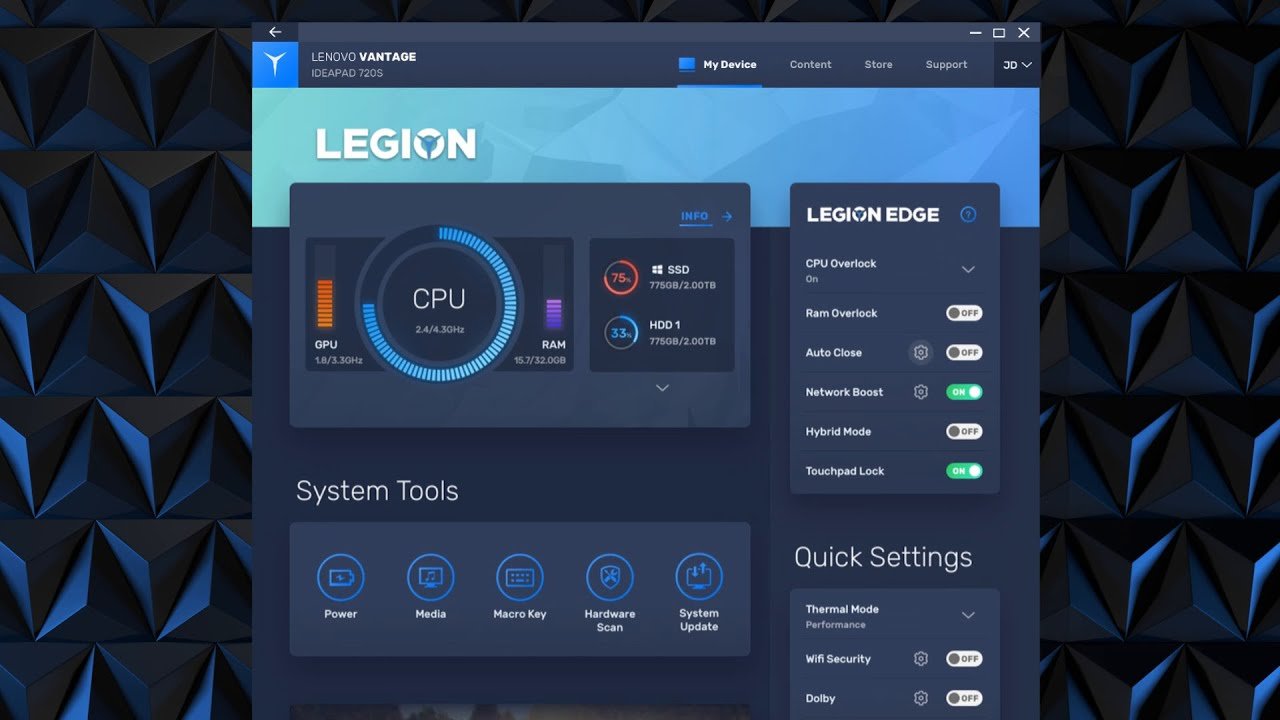
In today’s fast-paced digital world, managing your laptop or desktop efficiently is just as important as owning powerful hardware. Lenovo understands this need well, which is why it developed Lenovo Vantage, an all-in-one software solution designed to help users optimize performance, enhance security, and personalize their devices with ease. Whether you are a student, professional, or casual user, Lenovo Vantage acts as a smart companion that simplifies device management while unlocking its full potential.
What Is Lenovo Vantage?
Lenovo Vantage is a free utility application pre-installed on most Lenovo laptops and desktops. It serves as a centralized control panel where users can manage system updates, hardware settings, device health, and security features. Instead of navigating through multiple menus or third-party tools, Lenovo Vantage brings everything together in one clean and user-friendly interface.
The software is designed to work seamlessly with Lenovo hardware, ensuring optimal compatibility and performance. From battery management to display calibration, Lenovo Vantage helps users get the most out of their devices without requiring technical expertise.
Key Features of Lenovo Vantage
One of the main reasons Lenovo Vantage stands out is its wide range of features tailored to everyday needs.
System Updates Made Simple
Keeping drivers and firmware up to date is essential for performance and security. Lenovo Vantage automatically scans your device and notifies you of important updates. With just a few clicks, you can install the latest drivers and BIOS updates without worrying about compatibility issues.
Device Health and Performance Optimization
Lenovo Vantage provides real-time insights into your system’s health. It monitors CPU usage, memory performance, storage status, and battery condition. Users can switch between different performance modes, such as balanced, performance, or power-saving, depending on their workload.
Battery Management Tools
Battery longevity is a major concern for laptop users. Lenovo Vantage includes intelligent battery features like conservation mode, which limits charging to extend battery lifespan. It also displays detailed battery statistics, helping users understand charging habits and overall battery health.
Enhanced Security and Privacy Controls
Security is another area where Lenovo Vantage excels. The software integrates hardware-level security features that protect both data and privacy.
Privacy Protection
With built-in camera and microphone controls, Lenovo Vantage allows users to manage privacy settings easily. You can enable camera privacy mode to prevent unauthorized access and receive alerts if an application tries to use sensitive hardware.
Wi-Fi and Network Security
Lenovo Vantage helps users maintain secure internet connections by providing Wi-Fi security recommendations. It can alert you about unsafe networks and suggest safer alternatives, making it especially useful for people who frequently work from public locations.
Customization and User Experience
Another standout advantage of Lenovo Vantage is personalization. The software allows users to customize their device to match their preferences and lifestyle.
Display and Audio Settings
Users can fine-tune display brightness, color profiles, and eye-care modes directly from Lenovo Vantage. Audio features, such as Dolby Audio settings, can also be adjusted to improve sound quality for movies, gaming, or video calls.
Keyboard and Input Controls
For Lenovo devices with special keyboards or function keys, Lenovo Vantage provides customization options. You can manage backlighting, key behavior, and shortcuts, making daily use more efficient and comfortable.
Why Lenovo Vantage Matters for Everyday Users
The true value of Lenovo Vantage lies in its simplicity. Many users are unaware of advanced system settings or hesitate to make changes for fear of damaging their devices. Lenovo Vantage removes this barrier by presenting complex features in a clear, intuitive way.
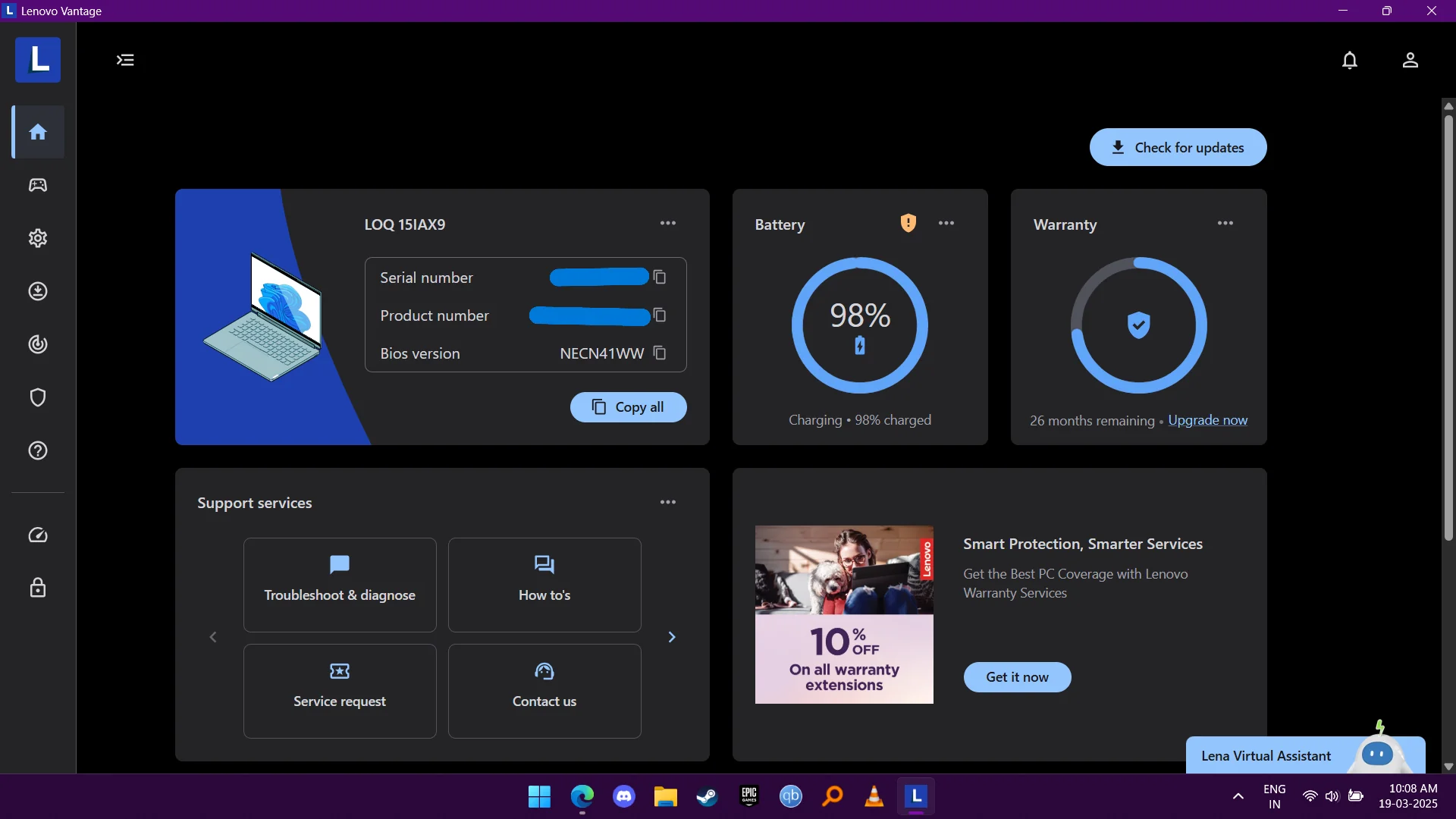
For students, it helps extend battery life and keep systems running smoothly during online classes. For professionals, it ensures peak performance and security for work tasks. Even casual users benefit from easier updates, better multimedia settings, and improved device reliability.
Lenovo Vantage vs Third-Party Utilities
Unlike third-party optimization tools, Lenovo Vantage is built specifically for Lenovo hardware. This means better stability, fewer compatibility issues, and no unnecessary ads or bloatware. It also reduces the need to install multiple applications for updates, battery monitoring, or performance tuning.
Because Lenovo Vantage is officially supported by Lenovo, users can trust it to deliver accurate updates and reliable system insights.
Final Thoughts: Is Lenovo Vantage Worth Using?
In short, yes. Lenovo Vantage is more than just a utility—it is a complete device management solution that enhances performance, security, and user experience. By combining essential tools into one platform, it saves time, reduces complexity, and helps users maintain their devices effortlessly.
If you own a Lenovo laptop or desktop and are not actively using Lenovo Vantage, you are missing out on features designed specifically to improve your computing experience. With its clean design, powerful functionality, and user-friendly approach, Lenovo Vantage truly stands as a smart companion for modern Lenovo users.